Pages

Showing posts with label Mobile hack. Show all posts

Saturday, 5 March 2016

Use Facebook Without Internet Connection

I know Title Of  Post Sounds somewhat funny but friends You can use facebook with no internet connection And Even On Phones Which don't Have Internet Support.
And the best thing is that its Completly free.Facebook India has partnered with Fonetwish to bring Facebook on every mobile phone without requiring any apps or even the Internet.Now you can able to use facebook on cell phones like 1100.which don't have any browser or internet facility.
FB LOGO


How to secure your smartphone from hackers

How to secure your smartphone from hackers


Now a days, We are using smartphone for our daily life such E-mail, facebook, twitter, paypal, banking etc..its all the our personal working. So their is more important to protect our smartphone from being hacked.
Using some security improvement helps you to protect your phone. Actually the method which you adopt  to protect your computer can be used to protect your smartphone too. Use following given below tips to secure your smart phone.


Steps Which Will Boost Your Mobile Internet

Steps Which Will Boost Your Mobile Internet


1. The First Point Is Obvious Find Some Near Hotspot And Use Their Internet As Its Fast And More Active. As They Are Connected To A Broadband Which They Are Simply Distributing Through Wi-Fi So You Can Take Advantage Of That Thing And Enjoy Faster Speeds.

Monday, 1 February 2016

Hack wifi/WEP/WPA2 password using aircrack-ng

wifi hack

Now a days, We find our neighbour WiFi network but when we try to connect it say to enter password. they are put password in form of WEP or WPA/WPA2. Here is some trick to hack or Crack the wireless/WiFi password using aircrack-ng.

Wednesday, 4 December 2013

15-Most Usefull Hacking Tools


Note: This tutorial is only for Educational Purposes, I did not take any responsibility of any misuse, you will be solely responsible for any misuse that you do.

1. NMAP

Nmap (“Network Mapper”) is a free and open source (license) utility for network discovery and security auditing. Nmap uses raw IP packets in novel ways to determine what hosts are available on the network, what services (application name and version) those hosts are offering, what operating systems (and OS versions) they are running, what type of packet filters/firewalls are in use, and dozens of other characteristics.

DOWNLOAD IT FROM HERE      


2. WIRESHARK

Wireshark is a network protocol analyzer. It lets you capture and interactively browse the traffic running on a computer network.

DOWNLOAD IT FROM HERE        


3. METASPLOIT COMMUNITY EDITION

Metasploit Community Edition simplifies network discovery and vulnerability verification for specific exploits, increasing the effectiveness of vulnerability scanners. This helps prioritize remediation and eliminate false positives, providing true security risk intelligence.

DOWNLOAD IT FROM HERE      


4. NIKTO2

Nikto is an Open Source (GPL) web server scanner which performs comprehensive tests against web servers for multiple items, including over 6400 potentially dangerous files/CGIs, checks for outdated versions of over 1200 servers, and version specific problems on over 270 servers. It also checks for server configuration items such as the presence of multiple index files, HTTP server options, and will attempt to identify installed web servers and software.

DOWNLOAD IT FROM HERE                


5. JOHN THE RIPPER

John the Ripper is a fast password cracker, currently available for many flavors of Unix, Windows, DOS, BeOS, and OpenVMS. Its primary purpose is to detect weak Unix passwords. Besides several crypt(3) password hash types most commonly found on various Unix systems, supported out of the box are Windows LM hashes, plus lots of other hashes and ciphers in the community-enhanced version.

DOWNLOAD IT FROM HERE


6. ETTERCAP

Ettercap is a comprehensive suite for man in the middle attacks. It features sniffing of live connections, content filtering on the fly and many other interesting tricks. It supports active and passive dissection of many protocols and includes many features for network and host analysis.

DOWNLOAD IT FROM HERE


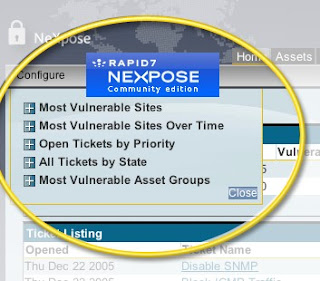
7. NEXPOSE COMMUNITY EDITION

The Nexpose Community Edition is a free, single-user vulnerability management solution. Nexpose Community Edition is powered by the same scan engine as Nexpose Enterprise and offers many of the same features.

DOWNLOAD IT FROM HERE


8. NCAT

Ncat is a feature-packed networking utility which reads and writes data across networks from the command line. Ncat was written for the Nmap Project as a much-improved reimplementation of the venerable Netcat. It uses both TCP and UDP for communication and is designed to be a reliable back-end tool to instantly provide network connectivity to other applications and users. Ncat will not only work with IPv4 and IPv6 but provides the user with a virtually limitless number of potential uses.

DOWNLOAD IT FROM HERE


9. KISMET

Kismet is an 802.11 layer2 wireless network detector, sniffer, and intrusion detection system. Kismet will work with any wireless card which supports raw monitoring (rfmon) mode, and (with appropriate hardware) can sniff 802.11b, 802.11a, 802.11g, and 802.11n traffic. Kismet also supports plugins which allow sniffing other media such as DECT.

DOWNLOAD IT FROM HERE


10. W3AF    

w3af is a Web Application Attack and Audit Framework. The project’s goal is to create a framework to find and exploit web application vulnerabilities that is easy to use and extend.

DOWNLOAD IT FROM HERE


11. HPING

hping is a command-line oriented TCP/IP packet assembler/analyzer. The interface is inspired to the ping(8) unix command, but hping isn’t only able to send ICMP echo requests. It supports TCP, UDP, ICMP and RAW-IP protocols, has a traceroute mode, the ability to send files between a covered channel, and many other features.

DOWNLOAD IT FROM HERE


12. BURPSUITE            

Burp Suite is an integrated platform for performing security testing of web applications. Its various tools work seamlessly together to support the entire testing process, from initial mapping and analysis of an application’s attack surface, through to finding and exploiting security vulnerabilities.

DOWNLOAD IT FROM HERE


13. THC-HYDRA      

A very fast network logon cracker which support many different services.

DOWNLOAD IT FROM HERE


14. SQLMAP      

sqlmap is an open source penetration testing tool that automates the process of detecting and exploiting SQL injection flaws and taking over of database servers. It comes with a powerful detection engine, many niche features for the ultimate penetration tester and a broad range of switches lasting from database fingerprinting, over data fetching from the database, to accessing the underlying file system and executing commands on the operating system via out-of-band connections.

DOWNLOAD IT FROM HERE


15. WEBSCARAB

WebScarab has a large amount of functionality, and as such can be quite intimidating to the new user. But, for the simplest case, intercepting and modifying requests and responses between a browser and HTTP/S server, there is not a lot that needs to be learned.

DOWNLOAD IT FROM HERE

How to trace Exact Location of Mobile Phone


There are many instances when we want to know where our friends are, where our parents are, and for those who've got a pair, where is my girl-friend or boyfriend. ! Well there are many apps in the market which allow you to get exactly the pin-pointed location of  any cellphone. But the problem is they cost too high. Well today I'm gonna show you a process by which you can trace the exact mobile location of any cell phone without the need to spend a single penny. What you need is listed below, and i'm sure most of us already have what is needed.

REQUIREMENTS:
• Any cell phone that supports Google maps. eg. iPhone , Nokia , Blackberry , Symbian etc.
• Google Latitude. Which you can download by going to google.com/latitude from your cell phone.
STEPS:-
• Go to www.google.com/latitude from your cell phone.
• Download the free app.
• Open the App.
• Enter You mobile number in the entry Field.
• Now You've set it up on your phone. Now you gotta set it up on your friends cell phone. 
HOW TO SET IT UP ON YOUR FRIENDS CELL PHONE:
• You can add friends by their E-mail Addresses. Your friends will receive an E-mail with the download link of Google latitude. 
• Or you can manually add yourself or ask your friend to add google latitude on his/her cell phone. 
• Now you and your friend can add each other as friends on google latitude and you'll get the exact location of where your friends cell phone is.
• There is exactly no limit to how many friends you can add in your latitude circle. ( just make sure you dont add your parents :) 
• Well so As soon as You and your buddy confirm each other as friends you get to see each others location.
HOW TO USE IT EVEN WHEN YOU DON'T HAVE YOUR CELL PHONE WITH YOU:
• Well the most eye catching feature of google latitude is that you can use it online even without a cell phone.
• Just go to google.com/latitude from you PC, Follow the instructions, log-in into your account. And track You friends Locations !!

Install Cracked Apps Without Jailbreak


All iPhone, iPod and iPad users know that in order to install Cracked Apss & Games to their iDevices it needs a Jailbreak to perform this, but here I will show you a way to install Paid Apss Without Jailbreak for Free using an application under Windows (not Mac) and works for all iOS version including iOS 5 and iOS 6.

How to Install Cracked/Paid Apps & Games Without Jailbreak(Works for : iPhone, iPod and iPad running : iOS3, iOS4, iOS5 , iOS6 & iOS 6.0.1)


1) Download the software called Kuaiyong

2) Launch the setup of Kuaiyong, and install it (simple setup)

3) After Installing the Software, plug-in your iDevice with USB Cable.
4) Now Launch Kuaiyong application from Desktop, it will look like below:


5) It will show a list of Apps and Games (Paid), you can search using the Search Bar or you can select an app from the list.    

a) Search Bar   

 b) List navigation        


6) After choosing an App or Game to download, Click on it then Click the Red button like below.


7) It will starts downloading the app. Just wait until it completes Downloading.

8) After the downloads the Paid app wait some time to Sync the Apps and add it to your iPhone, iPad or iPod .

/*Note#1: This works on all iDevices including: iPhone 3G, iPhone 3GS, iPhone 4, iPhone 4S, iPhone 5*//*Note#2: This also works on all iOS Versions: iOS3, iOS4, iOS5, iOS5.1.1, iOS6, iOS6.0.1*/


Nokia secret codes


Below, I have listed all Nokia secret codes. On the main screen type:


*#06# - is used to check the IMEI (International Mobile Equipment Identity).


*#7780# - resets to factory settings.


*#0000# - shows the software version of your mobile phone.


*#9999# - Phones software version if *#0000# does not work.


*#67705646# - clears the LCD display(operator logo).


*#147# - This lets you know who called you last (Only vodofone).


*#1471# - Last call (Only vodofone).


#pw+1234567890+1# - Provider Lock Status.


#pw+1234567890+2# - Network Lock Status.


#pw+1234567890+3# - Country Lock Status.


#pw+1234567890+4# - SIM Card Lock Status.


*#21# - This phone code allows you to check the number that "All Calls" are diverted to.


*#2640# - Displays phone security code in use.


*#30# - Lets you see the private number.


*#2820# - shows the address of your Bluetooth device.


*#62209526# - Display the WLAN adapter's MAC Address. It is available only for newer devices which support WLAN such as N80.


*#746025625# - Sim clock allowed status.


#pw+1234567890+1# - Displays any restrictions that your sim has.


*#92702689# - Takes you to a secret menu where you may find some of the information below:


1. Shows the Serial Number.


2. Shows the Month and Year of your mobile Manufacture.


3. Shows the date at which the mobile was purchased (MMYY).


4. Shows the life time of your mobile (time passed since last restart).


5. Shows the date at which your mobile was last repaired - if found (0000)


To exit from this mode, simply switch off and then switch on your mobile phone.


*#3370# - Enhanced Full Rate Codec (EFR) activation.


- This enables your mobile to work with increased signal strength, use better signal reception.


- This also helps you increase your GPRS speed to some extent.


- It has drawback that your phone battery will be consumed


*#3370* - Enhanced Full Rate Codec (EFR) deactivation. Phone will be automatically restarted automatically. Your battery life will increase by 30% but, phone will received less signal than with EFR activated.


*#4720# - used to activate Half Rate Codec. Your phone uses a lower quality sound but you should gain approx 30% more Talk Time.


*#4720* - used to deactivate Half Rate Codec. The phone will be restarted automatically.


If you have forgotten wallet code for your Nokia S60 phone, you can use this code reset: *#7370925538#


Note, your data in the wallet will be erased. You will be asked the lock code. Default lock code is: 12345


*#3925538# - used to delete the contents and code of wallet.


*#7328748263373738# - used to reset security code.


Default security code is 12345
Unlock service provider: Insert your sim, switch on your mobile and press vol up(arrow keys) for 3 seconds, then you will be asked for pin code. Press C, then press *. A message will be flashed, press * again and 04*pin*pin*pin#


Change closed caller group (settings >security settings>user groups) to 00000 and your mobile will sound the message tone if you are near a radar speed trap. If you set this value to 500 it will cause your mobile to set off security alarms present at shop entrances and exits(works with only some of the Nokia phones.)

To open wap browser, press and hold "0" on the main screen and wap browser will be opened.

Note: Some Nokia secret codes can harm your mobile. So, try these Nokia secret codes at your own risk. Also, some of these nokia secret codes will not work depending on your phone model.

So friends, I have listed almost all Nokia secret codes, I know. I hope these nokia secret codes will help you in configuring your Nokia mobile phones as you wish.

3 Hidden Modes in Android Mobile phones


Today in this topic, I will reveal 3 hidden modes in the Android Mobile phones:
  1. Fast Boot mode
  2. Download mode
  3. Recovery mode

DISCLAIMER: This information is intended for experienced users. It is not intended for basic users, hackers, or mobile thieves. Please do not try any of following methods if you are not familiar with mobile phones. We'll not be responsible for the use or misuse of this information, including loss of data or hardware damage. So use it at your own risk.
1. Fast Boot Mode
This mode is used to flash the phone firmware using command line tools. To access this mode:
  1. Power off your Phone.
  2. Press and hold Call and End Call/Power keys.

2. Download Mode
This mode is also used to flash the phone firmware. Mostly this mode is used by GUI tools for easier and quicker flashing. To access this mode:
  1. Power off your phone.
  2. Press and hold Volume Down, OK and End Call/Power keys.

3. Recovery Mode
This mode is used for recovery purposes like to reset the phone firmware. To access this mode:
  1. Power off your phone.
  2. Press and hold Volume Down, Call and End Call/Power keys.

Once the alert triangle is shown on screen, press "Menu" key to reset the firmware or press "Home" and "End Call/Power" keys to show recovery menu.

How to Jailbreak iOS 5 Beta with Sn0wbreeze


Hello Friends, today I tell you how to jailbreak iphone iOS 5 beta with Sn0wbreeze. Sn0wbreeze 2.8 can jailbreak iOS 5 beta on iPhone 4, iPhone 3GS, iPod Touch 4G, 3G and iPad 1. But there is no iPad 2 support. So friends you can jailbreak everything except iPad 2.

Sn0wbreeze 2.8 creates custom iOS 5 to jailbreak iPhone, iPod Touch and iPad. Sn0wbreeze 2.8 also preserves iPhone baseband so you may unlock with UltraSn0w later, however, UltraSn0w is not compatible with iOS 5 yet.


DISCLAIMER: This information is intended for experienced users. It is not intended for basic users, hackers, or mobile thieves. Please do not try any of following methods if you are not familiar with mobile phones. We'll not be responsible for the use or misuse of this information, including loss of data or hardware damage. So use it at your own risk.

How to Jailbreak iOS 5 with Sn0wBreeze 2.8


Step 1

Download the required stuff linked below and put them on your desktop..

Step 2

Run the Sn0wBreeze.exe. Hit Ok, then Close Credits button and then hit the next button.

Step 3

Either drag & drop the iOS 5 beta firmware file in the given box or hit the Browse button and select the iOS 5 IPSW file for your iDevice. Sn0wBreeze will identify the IPSW firmware file. When done, hit the next button.

Step 4

Select the Expert Mode, Hit next button, then select General and hit Next. Make your desired choices, then keep hitting Next.

Step 5

Now select the Build IPSW option and hit next. Sn0wBreeze will start building custom firmware to jailbreak your iPhone 4, 3GS, idevice. Since the building process takes several minutes to complete, you can either choose to play PacMan or stick with the Spinner.
Once Done! Hit the OK button. (Custom firmware can be found on desktop)

Step 6

Now follow the Sn0wbreeze instructions to put your iDevices into Pwned State. Sn0wBreeze instructions are important to follow because this will put iDevice into Pwned DFU state NOT the simple DFU mode.
  • Hold Power + Home buttons for 10 seconds
  • Now release the Power button but keep holding the Home button for 10-30 more seconds
Your device should now be in DFU mode Sn0wBreeze will prompt you once you’re into Pwned DFU state.

Step 7

  • Now open iTunes, Hold down the Shift/Option key and hit the Restore button.
  • Browse and select the custom firmware that we just created, from the desktop.
iTunes will start restoring iOS 5 on your iPhone/iPad/iPod Touch. Once done, your iPhone, ipad or iPod Touch will be running iOS 5 jailbroken tethered.

How to Tether Boot

As i have already said it’s a tethered jailbreak.
  • On your desktop, there’ll be a new folder named iBooty. Open the folder and run the iBooty.exe.
  • Select your device from the drop down menu (bottom-right) and hit the start button.
  • Follow the on screen instructions to put your iDevice into DFU mode.
  • Hold Power + Home buttons for 10 seconds.
  • Now release the Power button but keep holding the Home button for 10-30 more seconds
  • Your device should now be in DFU mode
  • Once you’re into DFU mode, iBooty will do the rest and your iPhone, iPad or iPod touch will boot into jailbroken state!
Thats all, you are done and successfully jailbreak the iOS5 beta using the Sn0wbreeze.

How to hack paid android apps and download it for free


Hello friends, today i am going to share with you how to hack android paid applications and download them absolutely free. Basically its not a hack, its just a trick or simply you call it a discovering facts to make our working easier and cheaper.

Requirements for Hacking Android applications:
1. Android Market
2. Mobile or Iphone should have internet access(optional as i will tell you better alternate way. Why to waste lot of money and data usage on 3G. Use your broadband to download it).
3. Phone connectivity to PC or laptop through USB.

Complete Steps to Hack and download paid android apps for free:
1. First of all select which paid android application you want to hack and install its full version for free. I am explaining this article with the help of paid android application Raging Thunder (car racing game).
2. Now go to below page and type your android application name then space and then apk in the search box and click on search.
hack android apps for free
Here is your Place where you will find full version of paid android applications
3. Now Connect your mobile to your PC through USB and transfer this .apk file to your memory card or simply storage of your android phone.
4. Now run the installer and install it. Let the installation complete and then enjoy the full paid application.

Note: When you try this trick first time you mobile will show a warning message something like Do you want to allow third party applications, just select yes and continue the installation. If it still doesn't allow then Go to Settings then to Applications  and there you will find Unkown Sources(allow installation from non market applications) like something, just click it to enable it and continue installation.

5. That's all.... ENJOY(-_-)

Note: ALL applications might not be available on 4shared, so please don't comment like noobs that it doesn't work. This 100% working technique and I have tested more than 100 of applications using this trick.